Replacing Your Hardware SBC with a Software Solution: A Practical Migration Guide
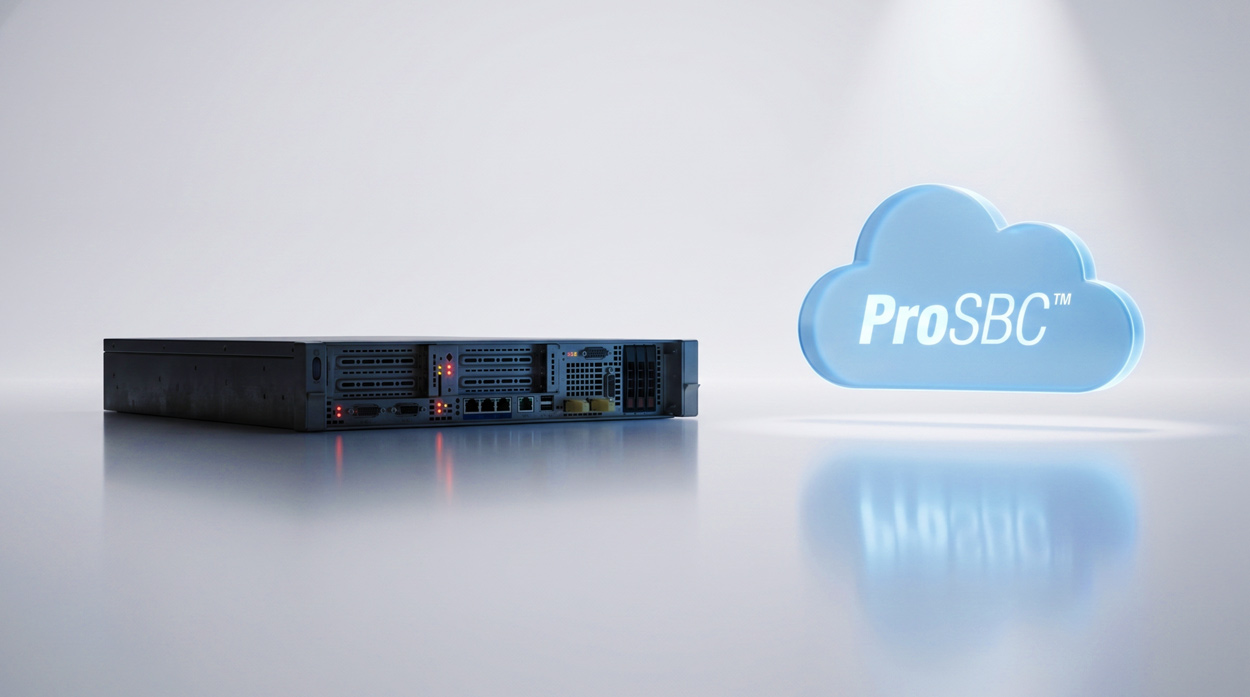
For a long time, the hardware appliance was the gold standard for carrier-grade voice. It was sturdy, predictable, and it did the job. But the industry landscape shifted toward software years ago, and for many of us, the reasons to stick with dedicated ‘big iron’ have finally run their course.
Whether you’re facing a vendor’s end-of-life notice, navigating the new reality of hypervisor licensing, or just tired of the forklift upgrade cycle, the move to a software-based Session Border Controller (SBC) is a well-traveled path. This guide skips the ‘why’ and dives into the practical operational mechanics: how to audit your traffic, size your replacement, and manage a safe cutover with a solid rollback plan in hand.

Why Hardware SBCs Are Being Replaced
Hardware SBCs served the industry well for two decades. They were purpose-built, predictable, and for a long time they were the only credible option for carrier-grade voice security at the network edge. That position has eroded. Several forces are now pushing operators and enterprises off appliances at the same time.
Licensing cost shocks
The Broadcom acquisition of VMware sent a shockwave through every organization running virtualized voice infrastructure. Service providers running Ribbon SBCs and other VMware-hosted platforms saw their underlying hypervisor costs spike with little warning. When the platform bill doubles, the TCO equation for the appliance sitting on top of it changes overnight, and the conversation moves from “renew the contract” to “what are our options.”
End-of-life cycles
Hardware appliances have a finite lifespan. Every five to seven years, vendors discontinue models and stop releasing security patches. That means a forklift upgrade: new chassis, new licenses, re-certification, and a weekend migration. Operators running Oracle Acme Packet, legacy NextOne, or older Ribbon platforms are facing exactly this cycle right now.
CapEx-to-OpEx pressure
Finance teams are pushing voice infrastructure off the capital expenditure books and onto subscription. A $50,000 appliance that depreciates over five years no longer fits how organizations want to account for software-defined infrastructure. A subscription-based software SBC fits that model directly, with annual per-session billing replacing the depreciation schedule.
Scalability ceilings
When a hardware SBC hits its session limit, the only path forward is buying another box. Software SBCs running on commodity servers scale by adding compute resources, and capacity beyond a single instance is a matter of spinning up another VM in the same hypervisor cluster.
Vendor lock-in
Proprietary hardware ties you to one vendor’s roadmap, support pricing, and feature timeline. Software SBCs decouple the application from the platform, so the same SBC image can run on AWS, Azure, VMware, KVM, Proxmox, or bare metal. The platform decision becomes a procurement choice rather than a vendor mandate.
What a Software SBC Actually Delivers
A common concern from operators evaluating the move is that a software-based SBC must be a “lighter” product, one that trades security or performance for flexibility. That is not how a modern software SBC is built. The architecture is the same: full B2BUA termination and re-origination on every call leg, the same control over signaling, the same topology hiding, the same security boundary between the internal network and external SIP peers. What changes is where the code runs, not what the code does.
Carrier-grade security
SIP over TLS for encrypted signaling, SRTP for media encryption, built-in DoS/DDoS protection, dynamic blacklisting with greylisting, calling/called number ACLs, and SIP registration scanning protection are all standard on a modern software SBC. The full security stack is documented in the SBC security guide. None of this is a reduced-feature implementation.
Deployment flexibility
The same software image typically runs across AWS, Azure, or other public clouds, on VMware, KVM, Proxmox, or bare metal, and as a VNF on uCPE. If VMware licensing is the reason you started this project, the move to KVM or Proxmox at zero hypervisor cost is a viable end-state on day one.
Pricing built for the OpEx model
Subscription-based software SBC pricing replaces the appliance-plus-license model with annual per-session billing. Actual rates vary widely from vendor to vendor, and most are quoted only on request. ProSBC publishes its rate openly at as low as $1.40 per session per year. The full breakdown lives on the ProSBC pricing page.
Scale on demand
Software SBCs scale by adding compute resources rather than swapping chassis. There is no proprietary DSP card to outgrow and no fixed chassis ceiling. Specific session and registration ceilings vary by vendor; ProSBC, for reference, supports up to 60,000 concurrent sessions and 350,000 endpoint registrations on a single server instance. Adding capacity beyond that is a configuration change, not a procurement cycle.
High availability without a second appliance
1+1 active/standby redundancy runs on standard virtual machines instead of a second physical box. The cost of HA on software is an additional license plus a second VM, rather than a second $30,000 appliance with a maintenance contract to match.
Programmable routing
An open routing engine lets the SBC integrate with external fraud detection systems, STIR/SHAKEN signing services, CRM platforms, and custom business logic. The depth of programmability varies by vendor, but the model is consistent across modern software SBCs: configurable per call, not a locked-down firmware image you wait on the vendor to update.
Managed service as a fallback
If the concern is staff rather than the technology, a managed SBC service handles deployment, monitoring, and ongoing operations. The ProSBC Managed Service, for example, includes setup, integration, testing, 24×7 support, and MaaS monitoring, with hosting either on TelcoBridges’ infrastructure or on your AWS, Azure, VMware, KVM, or Proxmox environment. Pricing starts around $500 to $600 per month for smaller deployments.
Five-Step Migration Framework
Migrating from a hardware SBC to a software SBC is not a weekend project for complex environments, but it is also not the multi-month ordeal that hardware-to-hardware migrations often become. The structure below eliminates risk through parallel operation: at no point is the legacy SBC gone before the new SBC has carried real production traffic.
-
Audit your current deployment. Pull CDRs from the past 90 days and identify peak concurrent call volume, not the appliance’s rated capacity but actual usage. Many operators discover they are running at 20% of rated sessions and have been paying for capacity they never needed. Map every SIP peer (carriers, PBX systems, contact center platforms, CPaaS providers) and note transport (UDP, TCP, TLS), SIP header manipulation rules, codec requirements, and STIR/SHAKEN posture. Export configuration if the vendor supports it; document it manually if not.
-
Size the replacement to actual volume. Match the software SBC to the call volume from your audit, not the rated capacity of the box you are leaving. A deployment running 500 concurrent sessions does not need to be provisioned for 5,000. Choose the deployment platform based on what you already operate: AWS or Azure if cloud is the standard, on-prem VMware or KVM if that is where the rest of voice infrastructure lives. If hypervisor licensing is part of why you are migrating, this is the right time to evaluate KVM or Proxmox as a free alternative. Plan for 1+1 HA if uptime requirements warrant it, which for most carrier-grade deployments they do.
-
Lab test before you cut over. This is the highest-leverage risk mitigation step in the entire project. Deploy a lab instance and replicate production SIP trunk configurations against it. ProSBC Lab is permanently free at 3 concurrent sessions, deploys in roughly 20 minutes, and runs the same codebase as production, so what works in the lab works in production. Test the call flows that actually matter: inbound calls from each carrier with the right NAP/trunk group config, outbound calls with proper caller ID presentation and header manipulation, failover when a carrier peer goes down, STIR/SHAKEN attestation on the legs that need it, TLS certificate exchange with every SIP peer, and DTMF handling and codec negotiation across each pairing.
-
Run in parallel for two to four weeks. Do not cut over all traffic at once. Route a single carrier or a single NAP to the new SBC first, choosing a peer that represents the typical call profile but is not the highest-volume trunk on the network. During the parallel period, compare everything between the old and new paths: call completion rates, MOS for call quality, CDR accuracy (critical for billing), STIR/SHAKEN attestation levels, SIP response codes, and any unusual error patterns. This is where edge cases surface: a specific carrier’s non-standard SIP header format, a codec negotiation mismatch on a single trunk, a routing rule that needs adjustment. Finding them against 5% of traffic is far less painful than finding them against 100%.
-
Cut over and decommission deliberately. Once the parallel run confirms the software SBC handles your traffic correctly, plan the full cutover during a maintenance window. Migrate remaining NAPs and trunk groups one at a time, update DNS and SIP routing to point to the new SBC, and watch each cutover closely for the first 24 hours. Keep the legacy hardware SBC powered on but inactive for at least 30 days. That is the rollback path. If anything surfaces that requires investigation, traffic goes back to the appliance while the team troubleshoots. After the validation period, decommission the hardware: cancel the maintenance contract, return any leased equipment, and close out the CapEx line item.
TCO Comparison: Hardware vs. Software SBC
The cost advantage of a software SBC is not just the license. It shows up across every cost category, every year, for the life of the platform. The table below summarizes a typical 1,000-session deployment over five years.
| Cost category | Hardware SBC (typical) | Software SBC (ProSBC) |
|---|---|---|
| Upfront hardware | $10,000 to $50,000 | $0 (runs on existing VMs or cloud instances) |
| Annual licensing (1,000 sessions) | $5,000 to $100,000/yr | $2,500/yr |
| HA / redundancy | Second appliance ($10K to $50K) | Second VM instance (marginal compute cost) |
| Support contract | $3,000 to $15,000/yr | Included with ProSBC+ and Managed Service |
| Forklift upgrade (every 5–7 years) |  Full hardware replacement Full hardware replacement |
 Software update, no hardware change Software update, no hardware change |
| Hypervisor licensing | VMware (post-Broadcom pricing) | Optional: KVM and Proxmox are free |
| Managed service option | Rarely available from hardware vendors |
Starts around $500/month |
Five-year example: 1,000 concurrent sessions
A hardware path typically runs $80,000 to $150,000 over five years once the initial appliance, annual licensing, support contract, and a midpoint forklift upgrade are accounted for. Oracle deployments at roughly $100 per session per year make the licensing line alone $500,000 over five years for 1,000 sessions, before any hardware or support is added.
A software path on ProSBC comes to roughly $10,000 to $25,000 over the same period: $2,500 per year in licensing, support included with ProSBC+ or Managed Service, no hardware cost, no forklift upgrade. The deeper comparison against named vendors lives on the AudioCodes alternative page and the Managed SBC vs. Self-Hosted SBC guide.
Common Migration Concerns
Five questions come up in almost every migration conversation. The answers below are the ones we give in those conversations.
Will a software SBC handle our call volume?
Modern software SBCs on commodity server hardware scale to tens of thousands of concurrent sessions per instance, with capacity ceilings that vary by vendor. ProSBC, for reference, supports up to 60,000 sessions and 350,000 endpoint registrations on a single server. Unless you are a tier-1 national carrier, a software SBC very likely exceeds your capacity requirements with margin to spare.
What about security?
A software SBC implements the same security stack as hardware: SIP over TLS, SRTP, DoS/DDoS protection, dynamic blacklisting with greylisting, ACLs, topology hiding, and SIP registration scanning protection. The security boundary is defined by what the SBC software does, not by the chassis it runs in.
We don’t have staff to manage a new SBC.
This is the most common concern from ISPs, ILECs, and smaller MSPs, and it is what the ProSBC Managed Service exists to solve. It includes setup, integration, testing, 24×7 monitoring, and ongoing operations, hosted by TelcoBridges or on your own AWS, Azure, VMware, KVM, or Proxmox environment. The economic anchor: $5,000 to $20,000 per year for managed service versus $60,000 to $100,000 per year for a dedicated internal engineer.
How long does the migration take?
A lab instance can be running in 20 minutes. A straightforward single-carrier deployment can be in production within days. Complex multi-carrier environments with custom routing and dozens of SIP peers will take longer. Plan for two to four weeks of parallel operation, plus a maintenance window for each cutover phase.
What if something goes wrong?
The parallel run is the safety net. The legacy SBC is never gone before the new one has proven itself against real traffic, and the 30-day rollback window after full cutover adds another layer of protection. If a problem surfaces, traffic goes back to the appliance while the team troubleshoots, and the migration timeline simply absorbs it.
When Hardware Still Makes Sense
Honesty earns more trust than blanket positioning, so here is when a hardware SBC remains the right choice.
If the deployment requires analog or TDM gateway ports to connect legacy PBXs or analog devices, a hardware SBC with built-in gateway interfaces handles this natively. A software SBC needs a separate media gateway for those connections.
If the requirement is on-box DSP transcoding for codecs beyond G.711 (Opus, AMR, G.729), hardware SBCs with dedicated DSP cards still have an advantage. Software transcoding for additional codecs is on roadmaps across the industry but is not universally available today.
For most IP-only deployments, neither of these conditions applies, and a software SBC covers the full feature set with room to spare.
Replace Your Hardware SBC with ProSBC
ProSBC is built on more than a decade of carrier SIP deployment experience and is positioned for exactly the migration this guide describes. The same B2BUA architecture, the same TLS/SRTP termination, the same topology hiding and DoS/DDoS protection that operators expect from a hardware SBC, delivered as software with a published per-session price.
For service providers, MSPs, and contact centers running carrier traffic, the deployment options match the migration path: ProSBC Lab for the parallel-validation phase, ProSBC or ProSBC for Microsoft Teams for self-hosted production, and the Managed Service when the operations side of the equation is the bottleneck.
The hardware SBC has served its purpose. The migration path to software is well-understood, lower risk than staying on aging hardware, and the cost savings are measured in multiples rather than percentages.
Prefer to evaluate on your own first? Start your 30-day free trial.