You can ask Butler anything. Here is what to ask first.
The questions engineers put to Butler every day, in the words they actually used. Copy any of them into your own chat and swap in your own numbers.
A NOC assistant in the chat your team already uses
Butler is an AI assistant that works inside Microsoft Teams, Slack or whichever messaging app your team already has open. You ask it about your voice network in your own words, the way you would ask a colleague, and it answers in the same thread within seconds, with the calls, response codes and timing behind the answer.
It reads the call traffic crossing the SBCs you already run, from any vendor, so the same conversation can cover one failed call or a pattern across many. When a problem can be fixed with a configuration change, Butler proposes the change and applies it only after you approve it.
What Butler can do for you
- Trace a single failed call
- Spot patterns across your traffic
- Explain your configuration in plain English
- Make low-risk changes with your approval
- Write branded reports for your customers
- Work in any language
If you want more information about how Butler is deployed and billed, read the full Butler page.
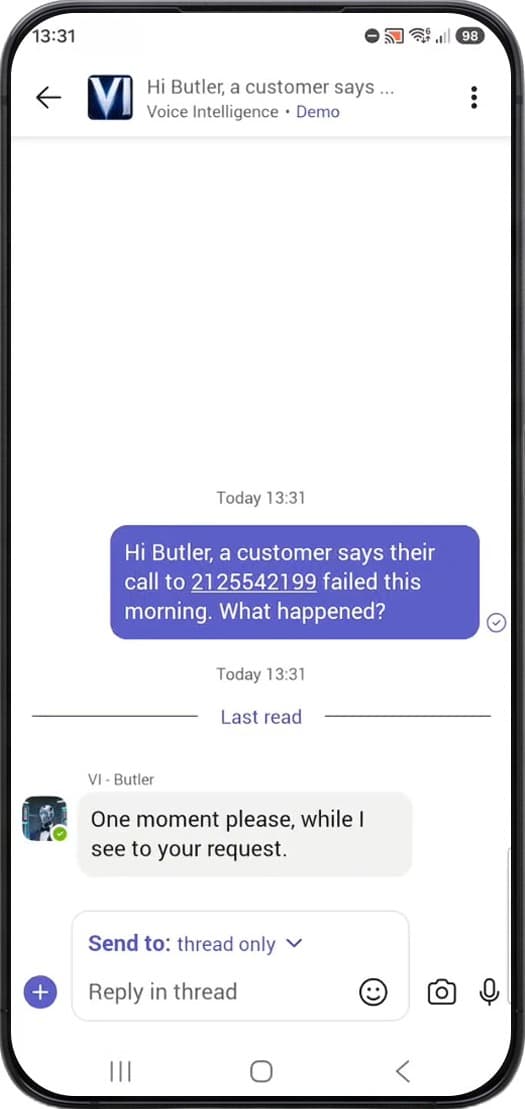
If you have never used it, send these
What engineers actually use Butler for
Each one is its own page, with the prompts, the follow-ups and what comes back. Roughly in the order people grow into them.
What happened to this call?
One number, and maybe a time. Butler finds the call, walks both legs, and names which side hung up and why.
What’s happening across my network?
Counts, groupings, thresholds and KPIs, covering the questions that normally need the one person who knows the reporting tool.
Explain my configuration
Routing tables, regex and SDP profiles in plain English, and the same capability facing the other way: describe the match you want, get the regex.
A knowledge base in your language
The ProSBC documentation is written in English. Ask Butler a configuration question in French, Spanish or Portuguese and it searches the English source, then answers you in the language you asked in.
Do it for me
Changes, reports, files and email. Butler reads before it writes, shows you the current state, and waits for your yes.
Work my ticket
Paste the complaint rather than composing a question. Half-formed, in the customer’s own words, with no timestamp, and Butler will find the call from the narrative, name the trunk, and tell you whose fault it is.
How Butler behaves
The watching is not done by a language model
Threshold alerts are raised programmatically by Voice Intelligence Nodes, on rules you set. Paste one into the chat and Butler will investigate it. It answers when you ask, rather than deciding on its own that something looks wrong.
It never changes anything unasked
Every write is shown to you in full and confirmed before it runs, and activating the change is a second, separate confirmation with the blast radius spelled out. One change at a time, each reversible in one step.
Teach it your names once
Ask about a call on your ProSBC and it answers on day one. The nicknames your team uses for its own equipment are yours to define, so tell Butler what they map to and it uses them from then on. That is a one-minute conversation, once.
Where it runs is your call
We host Butler and handle the model for you, which is how most customers start. If you already run your own AI stack and would rather own that part, we will help you stand it up to manage yourself.
Send Butler a hundred messages
If you are not saving 10 hours every month after 100 messages, we give you 100% of your money back.
By submitting this form, your information will be processed in accordance with our Privacy Policy.
Or see a sample branded call report Butler produced in ten seconds.